
.svg)
.svg)
In the ever-evolving field of surveyors, precision and efficiency are non-negotiable. Point cloud processing has emerged as a crucial technology that allows engineers to capture, analyze, and manipulate highly detailed 3D representations of physical spaces. Among the myriad applications of point clouds, extracting walls accurately is a task that requires both technical skill and advanced software capabilities. Nest3D, a leader in point cloud software solutions, provides engineers with the tools necessary to streamline this process while ensuring data integrity and accuracy.
Understanding Point Cloud Processing
Point cloud processing refers to the manipulation and analysis of dense collections of data points that represent the surface of physical objects or environments. Each point in a point cloud has a unique coordinate in three-dimensional space, allowing for precise modeling of structures such as walls, floors, ceilings, and complex architectural features.
Efficient point cloud processing is essential for engineers involved in construction, architecture, civil engineering, and facilities management. Accurate extraction of structural elements like walls not only accelerates design workflows but also reduces the risk of errors during the implementation phase.
Nest3D offers a comprehensive suite of Point Cloud tools designed to extract walls from point cloud in complex situations. With its intuitive interface, engineers can identify, isolate, and export walls with high accuracy, saving significant time compared to manual methods.
.avif)
How Nest3D Simplifies Wall Extraction
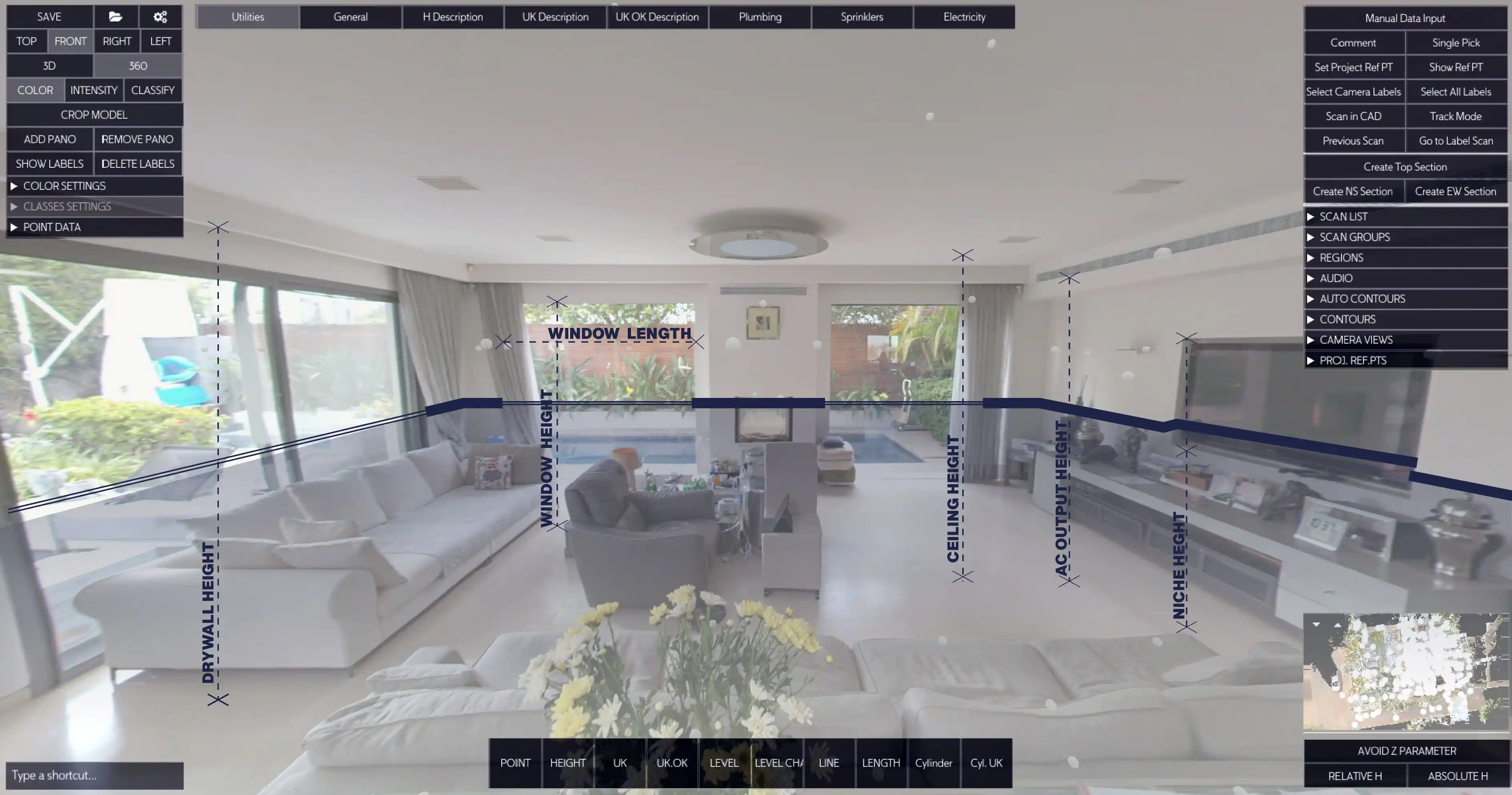
Extract walls from point cloud challenges the volume of data and the complexity of real-world structures. Nest3D addresses these challenges by combining intelligent algorithms with an engineer-friendly interface, enabling detailed analysis beyond simple geometry. You can either create contours in a single click for all the walls in the section plane or by extracting it, eliminating the space’s noise (furniture, field obstacles etc.)
Key Features and Capabilities
1. Accurate Measurements : Nest3D allows engineers to measure wall dimensions precisely, including height, length, and thickness. These measurements form the basis for structural assessments, renovations, or retrofitting projects.
2. The 360 image is your new workspace: Extract automatically or manually all the walls using the 360 image instead of noisy point cloud data. The 360 image enables the user to have a better visual of the space and extract exactly what’s needed and reduce the potential mistakes in the drawings.
3. Clean and usable drawings: Use an appropriate tolerance to make lines parallel and orthogonal, in case the point cloud path extraction isn’t orthogonal - the result is a clean drawing and highly usable for the designers and architects
How Nest3D Works as a Point Cloud Add-on
Nest3D is not only a standalone Point Cloud Software but also a powerful Point Cloud Add-on that enhances existing Point Cloud processing tools and workflows. As an add-on, Nest3D integrates seamlessly with other point cloud platforms, CAD systems, and BIM software, providing engineers with advanced functionalities without the need to migrate their entire workflow.
Key Benefits of Nest3D as an Add-On
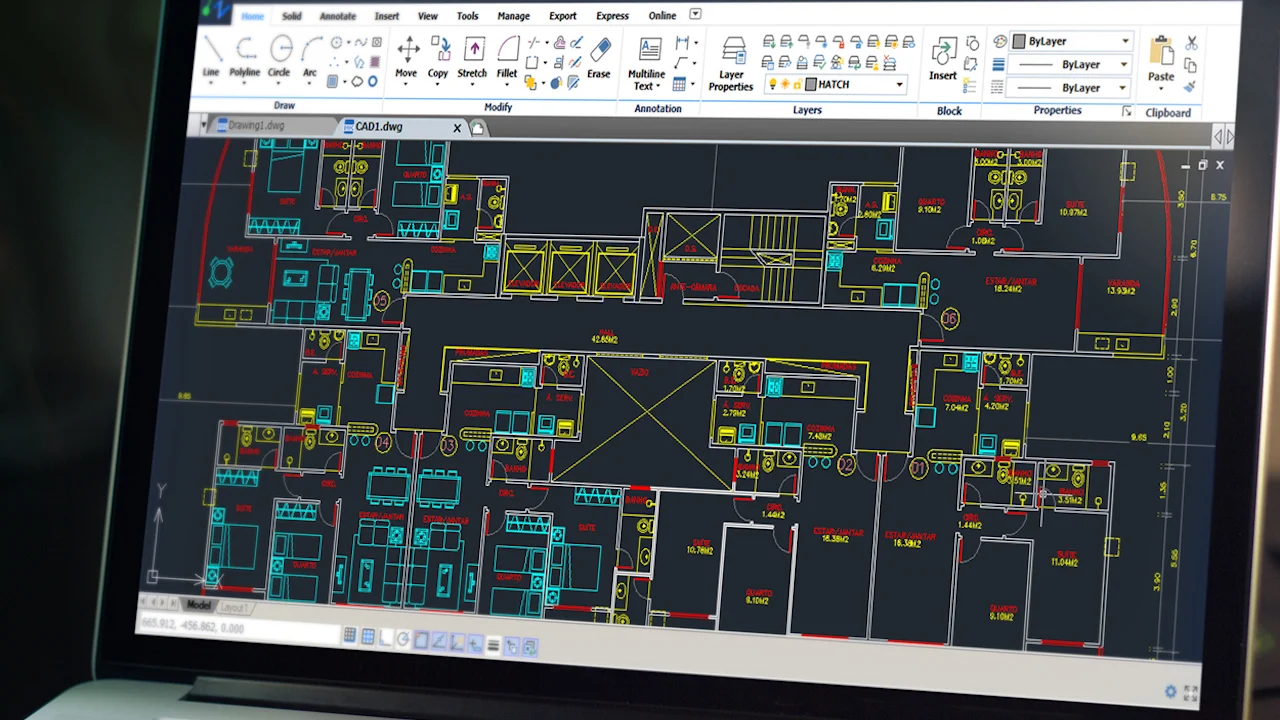
1. Seamless Integration: Nest3D can be layered on top of existing point cloud software, extending the capabilities of the tools engineers already use. This ensures that teams can continue their workflows without disruption while gaining access to advanced features.
2. Enhanced Wall Detection: When used as an add-on, Nest3D improves the automatic detection and segmentation of walls.
3. Optimized Workflow: Engineers can perform complex tasks such as wall extraction, structural assessments, and renovation planning directly within their preferred point cloud software. Nest3D eliminates the need for multiple software exports, streamlining workflow and reducing errors.
4. Customizable Reporting and Export: As an add-on, Nest3D allows users to generate detailed wall analysis reports, including measurements, detected anomalies, and 3D models. These outputs can be exported in formats compatible with CAD, BIM, and other engineering software.
5. Scalable and Flexible: Whether dealing with a small residential building or a large industrial complex, Nest3D scales efficiently as an add-on, supporting complex multi-story structures and dense point cloud datasets.
Future of Point Cloud
For surveyors and architects, the process to extract walls from point cloud offers precision, efficiency, and actionable insights for projects. Nest3D provides engineers with a powerful suite of Point Cloud Tools, integrated Point Cloud Viewer capabilities, and intelligent Point Cloud Add-ons to simplify wall extraction while maintaining accuracy.
By combining advanced algorithms with an intuitive interface, Nest3D transforms complex point cloud datasets into usable, high-fidelity wall models. Acting as both standalone software and a versatile add-on, Nest3D enables engineers to enhance existing workflows, streamline data processing, and achieve superior project outcomes.
Frequently Asked Questions:
- 1. How does Nest3D help in extracting walls from point cloud data?
Nest3D uses intelligent algorithms and an intuitive interface to automatically or manually detect, isolate, and extract walls from complex point clouds. It supports contour creation with a single click and removes noise from furniture or obstacles, resulting in clean and accurate wall models.
- 2. Can Nest3D improve accuracy even if the point cloud data is noisy or imperfect?
Yes. Nest3D’s tolerance-based tools help correct non-orthogonal lines and ensure walls are parallel or perpendicular where needed. The use of 360° images also enhances visibility, allowing for precise extraction even when point cloud data is cluttered or unclear.
- 3. How does Nest3D work as a point cloud add-on?
Nest3D integrates seamlessly with existing CAD, BIM, and point cloud platforms. As an add-on, it enhances current workflows without requiring teams to switch or migrate software, adding powerful wall detection, measurement, and reporting capabilities directly within their existing environment.
- 4. What types of projects can benefit from Nest3D’s wall extraction tools?
Nest3D is suitable for a wide range of applications, including residential buildings, commercial complexes, industrial structures, and multi-story facilities. Architects, surveyors, and construction professionals all benefit from its precise measurement and modelling capabilities.
- 5. What export and reporting options does Nest3D provide?
Nest3D allows users to export detailed wall analysis reports, measurements, anomaly detections, and clean 2D/3D drawings. All files can be exported in CAD-, BIM-, and industry-compatible formats, ensuring easy integration into downstream workflows.
.svg)


.svg)
