
.svg)
.svg)
Nest3D’s Point Cloud Viewer offers an advanced solution for engineers seeking accurate visualization, manipulation, and analysis of 3D point cloud data. By providing a reliable platform for exploring complex structures, the viewer connects raw 3D scans to actionable insights, enhancing the productivity of engineering teams across industries.
Understanding the Fundamentals of Point Cloud
A point cloud is a collection of data points in three-dimensional space, typically acquired through laser scanning, LiDAR, or photogrammetry. Each point represents a precise coordinate on the surface of an object or environment, enabling engineers to capture real-world geometries with unmatched accuracy.
Point clouds allow professionals to study as-built conditions, detect deviations from design intent, and create digital models that serve as the foundation for further analysis. However, the utility of point clouds depends heavily on the tools available for viewing and processing the data.
.avif)
Features of Nest3D’s Point Cloud Viewer
The Point Cloud Viewer from Nest3D provides engineers with a platform that examines point cloud datasets of any scale. Some of the features include:
• High-Resolution Rendering: Visualize millions of points simultaneously, maintaining clarity even for complex industrial structures.• Accurate Measurements: Extract precise distances, areas, and volumes directly from point cloud data.• Multi-Format Support: Work seamlessly with a wide range of point cloud formats without the need for conversion.• Customizable Views: Adjust rendering settings, point size, and color coding to enhance visualization and analysis.• Cross-Platform Accessibility: Access point cloud data on desktops, tablets, or laptops, enabling flexible workflows.
By combining these capabilities, engineers can confidently analyze point clouds and derive meaningful information for their projects.
Transforming Point Cloud Data into Accurate 2D Drawings
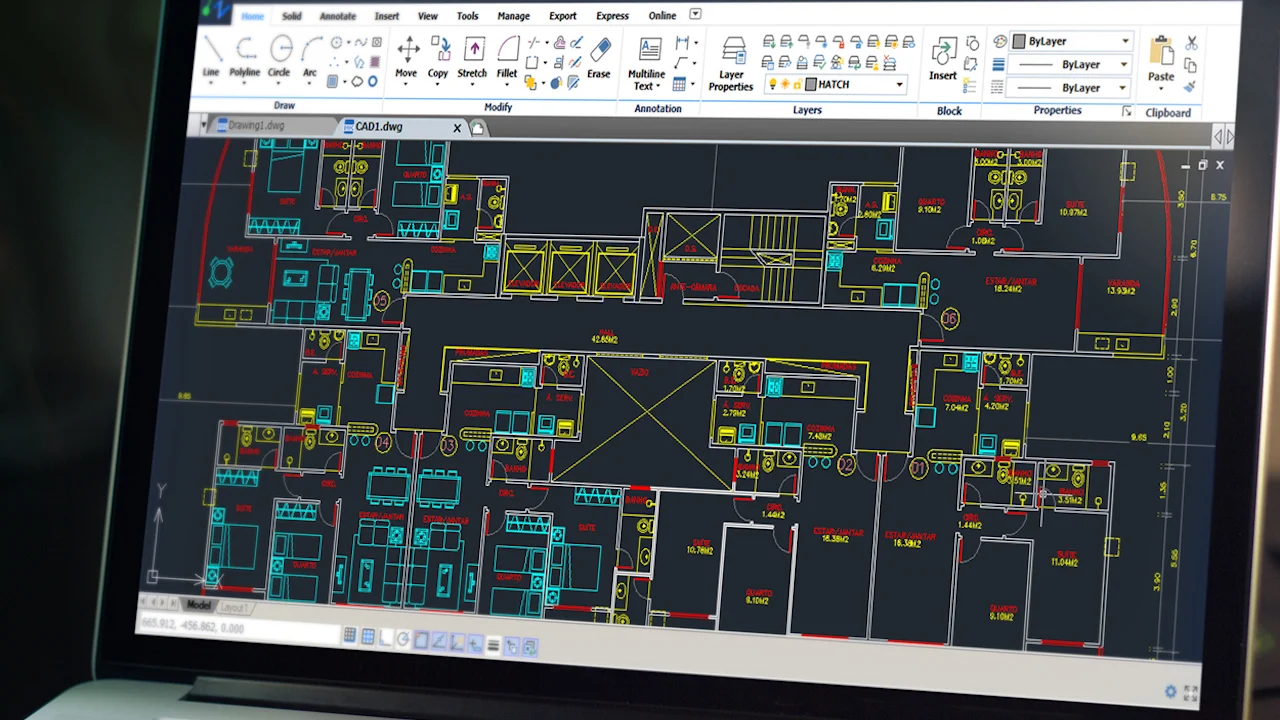
One of the most critical applications of point cloud technology is translating three-dimensional data into actionable 2D representations. Nest3D’s Point Cloud Viewer supports workflows that convert point clouds into precise Point Cloud to 2D Drawings, facilitating integration with CAD systems and design documentation.
This functionality allows engineers and architects to:• Generate accurate floor plans, elevations, and sections from existing structures.• Reduce errors and save time by minimizing manual measurements.
The ability to go from a point cloud to drawing ensures that engineers can communicate design intent effectively, making collaboration across teams more efficient.
Maximizing Efficiency with Advanced Point Cloud Tools
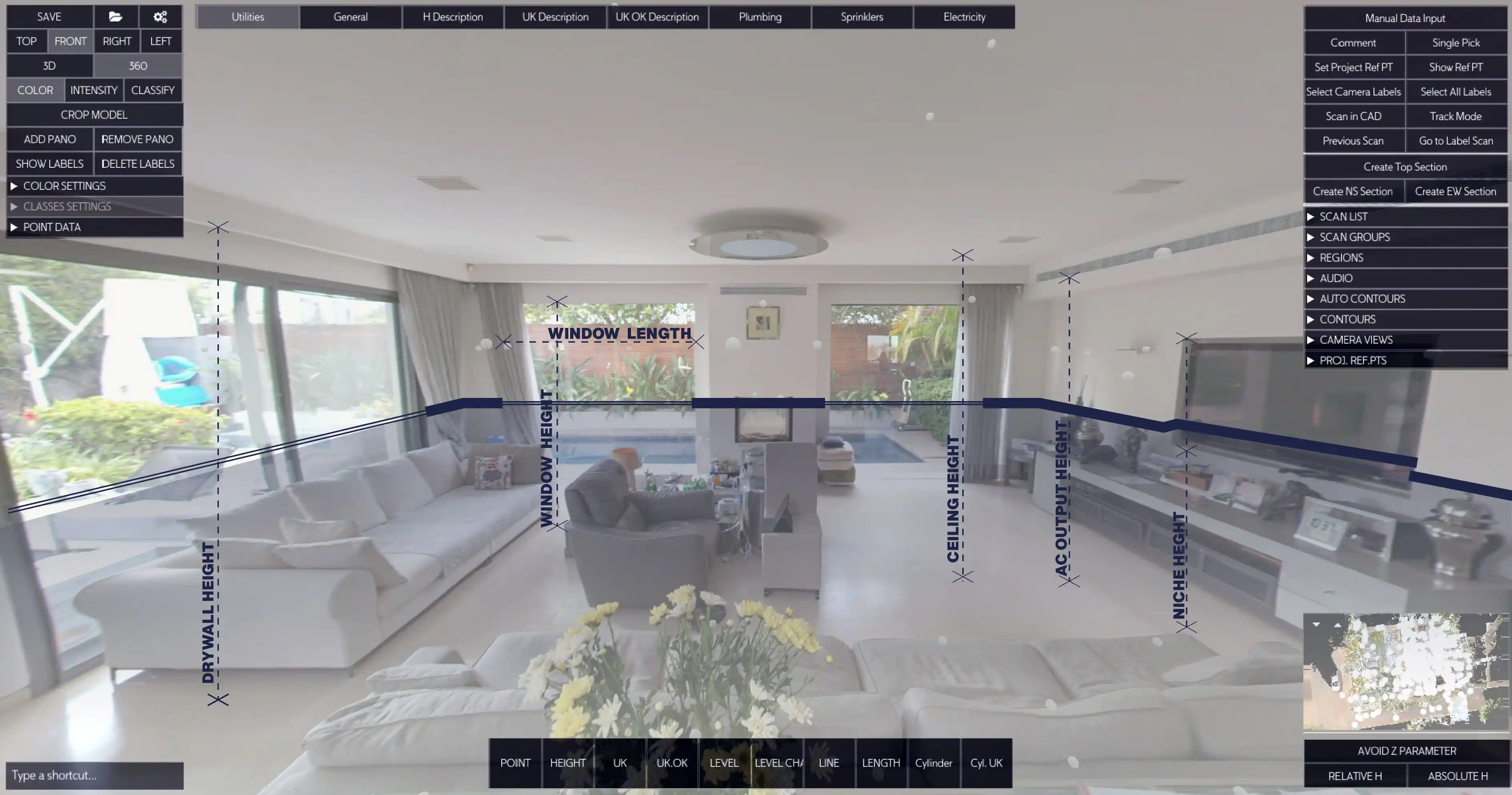
Nest3D’s Point Cloud Tools enhance the utility of the viewer, offering a range of functionalities that streamline engineering processes. These tools allow users to: • Filter and segment point clouds to isolate specific elements.• Annotate and tag points for improved documentation.• Export selected regions to CAD or BIM platforms for downstream workflows.
With these tools, engineers can interact with point cloud data beyond simple visualization, turning raw scans into practical resources for design, construction and inspection purposes.
Optimizing Accuracy and Efficiency Across Engineering Processes
By using one centralized Point Cloud Software, cross-disciplinary collaboration becomes easier. Everyone works from the same, accurate baseline, minimizing discrepancies between design intent and on-site reality.
Utilizing Point Cloud Technology Across Multiple Industries
Point cloud technology and the Nest3D Point Cloud Viewer are applicable in a wide range of industries, including:
• Architecture and Construction: Verify as-built conditions, plan renovations, and generate accurate floor plans from existing structures.• Manufacturing: Inspect machinery, components, and assemblies to ensure adherence to design specifications.• Civil Engineering: Survey infrastructure, monitor construction progress, and perform structural analysis.• Oil and Gas: Assess plant layouts, pipelines, and equipment for maintenance and retrofitting projects.• Historical Preservation: Digitally document heritage sites, enabling restoration and study without physical interference.
Across all these applications, the ability to convert point cloud data into Point Cloud to 2D Drawings ensures that the information can be utilized efficiently in both digital and traditional workflows.
Managing Engineering Data Efficiently
The Point Cloud Viewer from Nest3D represents a comprehensive solution for engineers seeking precision, efficiency, and actionable insights from 3D point cloud data. By leveraging advanced Point Cloud Tools, enabling conversion from point cloud to drawing, and supporting the creation of Point Cloud to 2D Drawings, the platform addresses the full spectrum of modern engineering needs.
Bridging Point Cloud Data with Advanced Design Software
One of the key advantages of Nest3D’s platform is its seamless integration with widely used design software. Engineers and architects can export processed point cloud segments to CAD, BIM, or other modeling environments, supporting continuous workflows without data loss or compatibility issues. This integration enhances collaboration between surveying teams, designers, and project managers.
By bridging the gap between point clouds and engineering design software, Nest3D ensures that point cloud data transitions smoothly from raw acquisition to actionable design insights.
Whether for construction, manufacturing, civil infrastructure, or historical preservation, Nest3D empowers engineers to transform raw point cloud data into meaningful, accurate, and usable results, streamlining workflows and enhancing decision-making at every stage.
Frequently Asked Questions:
- 1. How to view point clouds?
Point clouds can be viewed using specialized software such as Nest3D Point Cloud Viewer, Autodesk Recap, Cloud Compare, or other CAD/BIM applications that support point cloud formats. Simply import the point cloud file into the software to visualize it in 3D.
- 2. Is point cloud free?
Point cloud data itself is not inherently free - it is generated from LiDAR scanners or photogrammetry techniques, which may require equipment or software. However, some point cloud datasets and open-source viewers (like CloudCompare) are available for free.
- 3. What is point cloud visualization?
Point cloud visualization is the process of displaying 3D point cloud data in a readable format, allowing users to examine the geometry, structure, and details of scanned objects or environments.
- 4. How to view point cloud in AutoCAD?
In AutoCAD, you can view a point cloud by using the “Attach” command to import the .rcp and .rcs. Once attached, you can navigate, zoom, and use AutoCAD tools to measure or analyze the point cloud data.
.svg)


.svg)
