
.svg)
.svg)
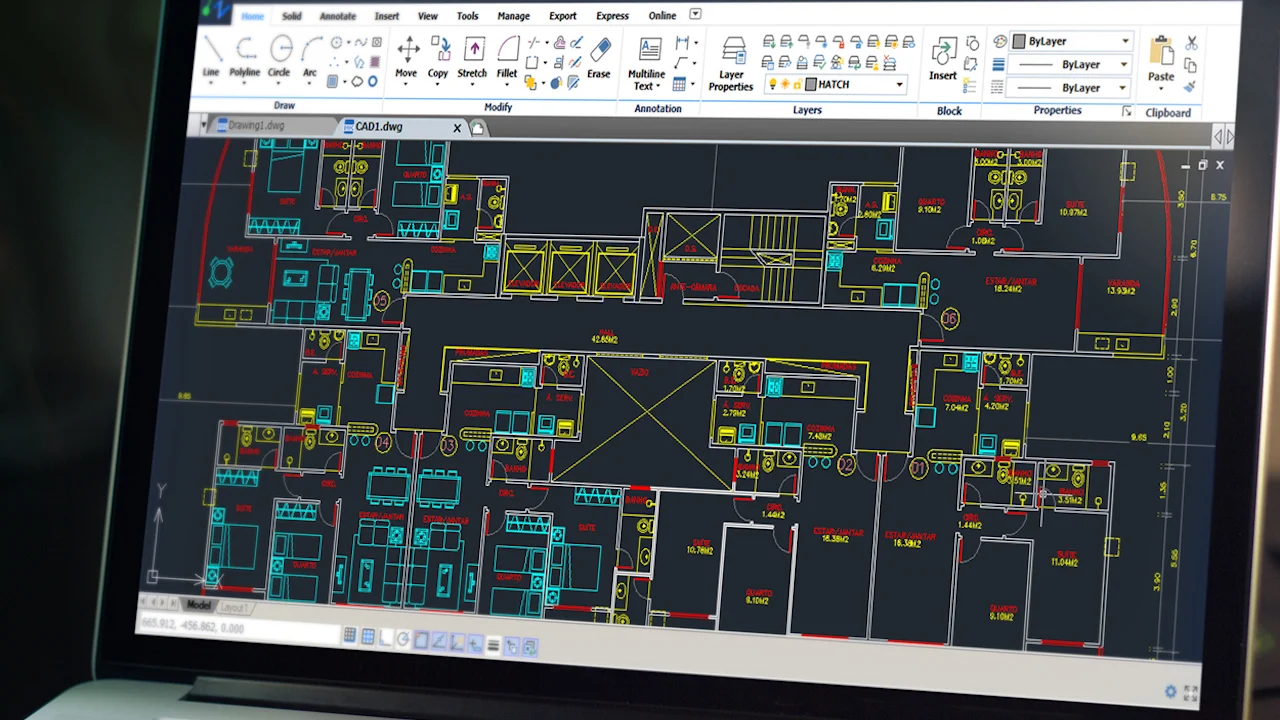
In the world of engineering and design, accuracy defines excellence. Nest3D’s Point Cloud Add-on for CAD softwares such as AutoCAD, BricsCAD and ZWCAD empowers engineers to convert real-world site data into precise, editable CAD drawings with unmatched efficiency. Whether you’re working on mechanical, electrical, civil, or architectural projects, this Point Cloud Software bridges the gap between reality capture and intelligent documentation.
Reimagining Design Workflows with Point Cloud Add-on Technology
By leveraging point cloud data, millions of 3D coordinate points captured through laser scanning or LiDAR, engineers can model existing structures with millimetric precision.
The Nest3D Point Cloud Plugin for AutoCAD transforms this raw scan data into usable 2D and 3D CAD linework in minutes. It’s not just about speed; it’s about eliminating the guesswork between as-built and as-designed environments.
One of the benefits of the Point Cloud Add-on lies in its versatility. It’s used for mapping existing spaces and exterior areas in any given size.
.avif)
Redefining Precision in Point Cloud Add-on Conversion
Hence, the workflow: 3D pointNest3D has engineered a seamless extension to AutoCAD that turns point clouds into meaningful geometry instantly. Unlike traditional workflows requiring manual tracing or complex modeling, this Point Cloud to CAD Software automates conversion while preserving accuracy and layer intelligence. cloud → CAD/BIM model → engineering design. This is where point cloud software and point cloud tools come into play.
Key Features:
• Direct AutoCAD Integration: No switching platforms, work entirely inside AutoCAD with native commands.• High-Speed Conversion: Generate Point Cloud to 2D Drawings and linework in real-time.• Layered Outputs: Automatically organizes geometry into user-defined CAD layers, linetypes and blocks.• Format Flexibility: Supports E57, FLS and other standard scan formats.• Scalable Performance: Handles small rooms or massive industrial facilities without lag.The result is a simplified workflow where engineers stay productive and focused on the digitization instead of data cleanup.
Understanding Point Clouds in Engineering Contexts
To fully appreciate Nest3D’s technology, it helps to revisit the fundamentals. A point cloud Add-on is a dense set of spatial points that represent the surfaces of scanned objects or environments. Each point has X, Y, and Z coordinates, together forming a three-dimensional digital representation of reality.
Consider a 3D laser scan of a mechanical plant, electrical substation, or building interior. The resulting dataset replicates every contour, pipe, conduit, and duct in the space.
What Are the Advantages of Point Cloud Technology?
• Accuracy: Captures exact as-built output of the scanners.• Efficiency: Reduces time spent on manual measurement and drafting.• Integration: Enables engineers to overlay existing conditions with new designs.• Error Reduction: Prevents rework by validating geometries early in the process.• Scalability: Supports projects of any size, from a single room to an entire facility.
These advantages make point clouds essential for MEP engineers, architects, and structural professionals who rely on accuracy at every stage of design.
From Point Cloud to CAD: The Nest3D Workflow
The Point Cloud Plugin for AutoCAD offered by Nest3D follows a logical, engineer-friendly workflow:
1) Import Your Scan Data: Bring in your point cloud (E57, FLS) to Nest3D add-on.
2) Define Layers and Templates (one time configuration):Use your own CAD template and drawing style - layers, colors, linetypes, and naming conventions.
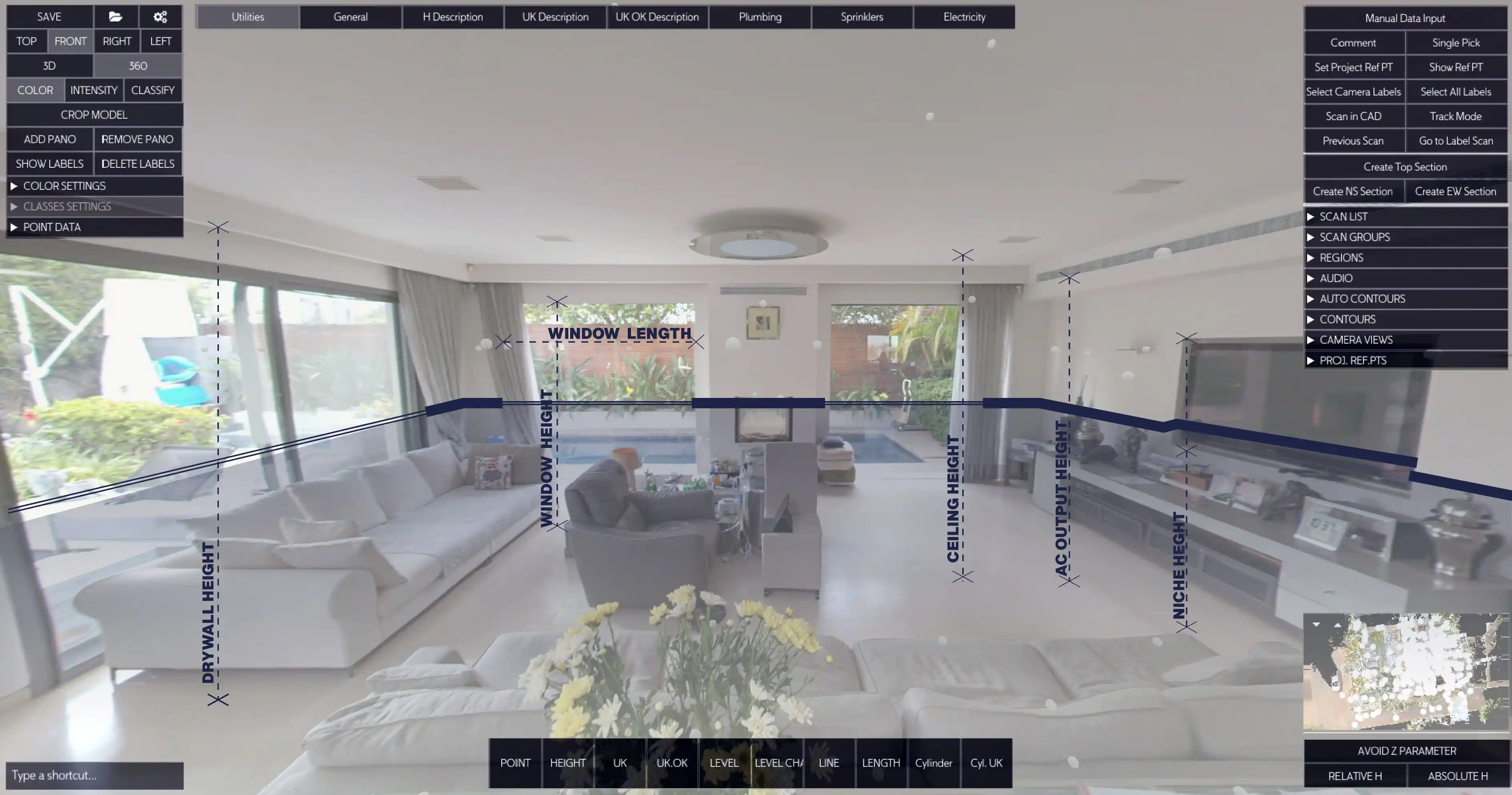
3) Auto-Extract Geometry: The plugin automatically sends scan data - walls, columns, equipment outlines, and structural edges into your desired drawing.
4) Review and Refine: Engineers can validate or modify extracted geometry within AutoCAD, ensuring each element aligns perfectly with project needs.
5) Generate Drawings and Export: Create Point Cloud to 2D Drawings, sections, and elevations ready for documentation or further 2D\3D processing.
This process converts raw data into actionable design information with minimal effort, ensuring consistency across teams and projects.
Seamless Collaboration for Every Engineering Discipline
Nest3D’s add-on isn’t built for one type of engineer; it’s for all.• Mechanical Engineers: Extract and trace duct layouts, pipe runs, or mechanical plant layouts.• Electrical Engineers: Identify and map conduit runs, cable trays, switchgear, and lighting placements.• Civil Engineers: Model terrain, structures, and utilities directly from scan data.• Architects: Convert building interiors and facades into editable CAD drawings.
By using one centralized Point Cloud Software, cross-disciplinary collaboration becomes easier. Everyone works from the same, accurate baseline, minimizing discrepancies between design intent and on-site reality.
Software That Engineers Actually Enjoy Using
Unlike some complex point cloud systems that require specialized training, Nest3D keeps the user experience simple and familiar. If you already know AutoCAD, you’re 90% ready to use Nest3D.
The add-on’s intuitive interface and automated tools eliminate tedious manual tracing while ensuring every output maintains professional CAD standards. Engineers can switch between scan visualization, line extraction, and final drawing generation, all within a single workspace.
Why Engineers Choose Nest3D
• Trusted by Professionals: Used globally by engineers, surveyors, and BIM coordinators.• Data Integrity: Outputs are fully editable DWG files—no broken geometry or compatibility issues.• Performance Optimized: Handles complex, large-scale projects without compromising quality.• Future-Ready: Compatible with upcoming CAD versions and supports evolving scan technologies.
Nest3D’s mission is simple: make high-fidelity design accessible to every engineer, without the friction of traditional scan-to-CAD workflows.
The gap between reality capture and design execution has long challenged the engineering industry. With Nest3D’s Point Cloud Plugin for AutoCAD, that gap finally disappears. Engineers can now transform 3D scans into Point Cloud to 2D Drawings and CAD models effortlessly, preserving the accuracy of the physical world while maintaining the flexibility of digital design.
Precision That Builds Confidence
Nest3D’s algorithms deliver 99.9% linework precision, validated across hundreds of projects. Whether scanning a manufacturing floor or retrofitting an electrical substation, the resulting CAD files align perfectly with the physical environment.
The combination of Point Cloud to CAD Software and intelligent automation ensures each drawing produced truly represents the built environment.
Whether you’re working on retrofit projects, facility documentation, or new installations, Nest3D’s Point Cloud Software delivers the precision, speed, and integration that modern engineering demands.
Frequently Asked Questions:
- 1. What is a point cloud used for?
Point cloud technology is used to capture and digitally represent the precise geometry of real-world objects, structures, and environments. It allows engineers, architects, and designers to create accurate models of existing conditions without relying on manual measurements. Common applications include:• As-built documentation: Capturing the exact dimensions of existing buildings, industrial plants, or mechanical installations.• Retrofit and renovation projects: Updating CAD or BIM models to reflect current conditions before making design changes.• Design coordination: Overlaying scanned data with proposed designs to detect clashes or verify clearances.• Quality control and inspection: Comparing constructed elements against design specifications to ensure accuracy.• Facility management and asset tracking: Maintaining accurate digital records of equipment, piping, ductwork, and structural components.
- 2. What is an example of a point cloud?
A point cloud is a collection of millions of individual points in 3D space, each representing a specific location on a surface. An example would be a laser scan of an industrial plant where every pipe, duct, conduit, and structural element is captured. Each point has precise X, Y, and Z coordinates, and collectively, they create a detailed 3D map of the environment. Other examples include:
• Scanned interiors of buildings for architectural modeling.• 3D scans of mechanical rooms with complex equipment layouts.• Outdoor terrain scans for civil engineering and construction projects.
- 3. What are the advantages of point cloud?
Point cloud technology provides several critical advantages for engineers and designers:• High Accuracy: Captures the real-world geometry with millimeter-level precision, reducing measurement errors.• Efficiency: Saves time compared to manual surveying and drafting by automatically generating digital models.• Improved Coordination: Enables cross-disciplinary teams (mechanical, electrical, civil) to collaborate on accurate models.• Error Reduction: Detects potential clashes or deviations between design and reality before construction begins.• Scalability: Can handle small spaces like mechanical rooms or large industrial facilities without loss of detail.• Documentation and Compliance: Provides a permanent digital record of existing structures, aiding inspections and future renovations.
- 4. What software is used for point clouds?
A variety of software tools are used to process, analyze, and convert point cloud data into usable CAD or BIM models. These tools typically support import/export of standard scan formats (E57, FLS, LAS) and provide features for cleaning, aligning, and converting point clouds. Common software includes:• Nest3D Point Cloud Plugin for AutoCAD: Converts point clouds directly into CAD drawings and 2D/3D geometry while maintaining engineering standards.• AutoCAD with Point Cloud Tools: Native AutoCAD plugin for handling point clouds, generating linework, and integrating with existing CAD workflows.• ReCap Pro (Autodesk): For processing scans and generating 3D models or meshes.• CloudCompare: Open-source software for 3D point cloud processing and analysis.• Bentley Pointools / MicroStation: Used for infrastructure and civil engineering projects.
.svg)


.svg)
