
.svg)
.svg)
Translating complex point cloud scans into usable CAD models has been a labor-intensive process. It requires hours of manual tracing and careful alignment to ensure accuracy. For surveyors and architects, every detail matters, from cracks in the walls to piping layouts and thermal signatures. Nest3D has emerged as a leading solution, providing advanced point cloud to CAD software that enables professionals to convert point cloud scans into accurate DWG drawings.
How Nest3D supports Industrial Plant Point Cloud?
Industrial plants involve complex layouts, with numerous structural, mechanical, and electrical components. Traditional drafting workflows struggle with manual tracing errors, time-consuming conversion from point cloud to blueprint, and high (maintenance, needing 100% accuracy) labor costs.
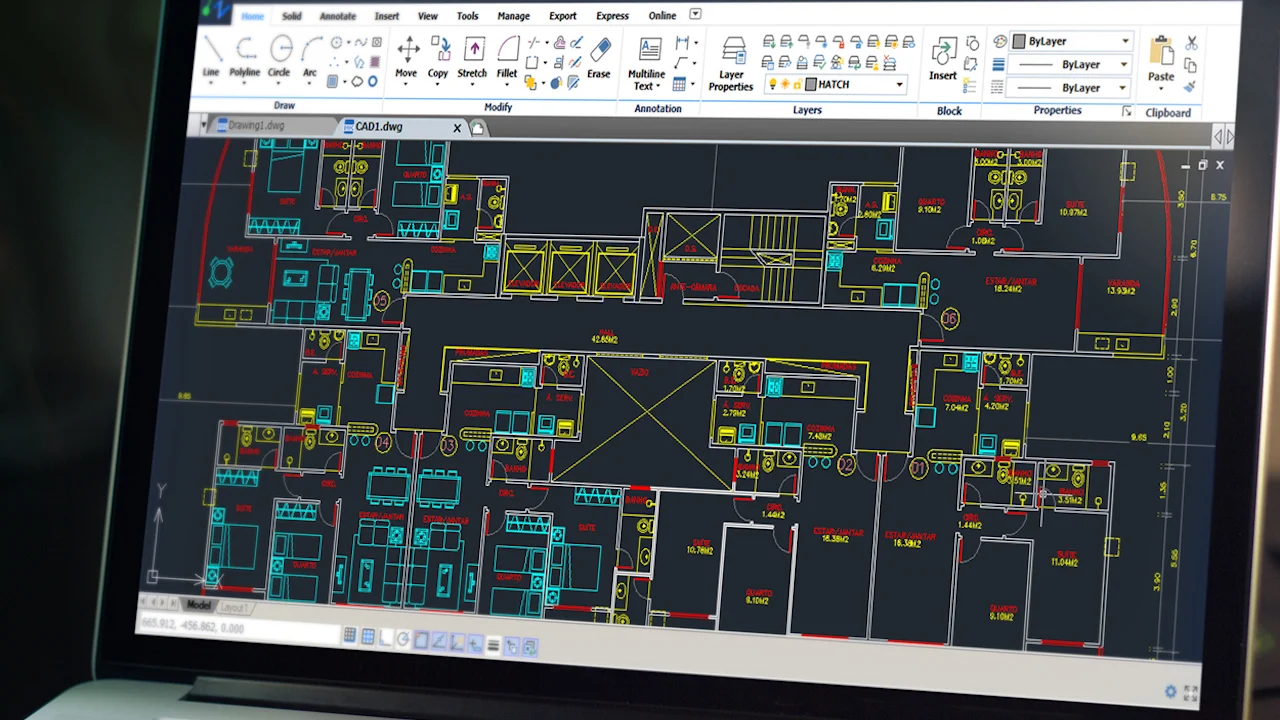
Industrial plant point cloud solutions like Nest3D streamline this process, offering surveyors the ability to extract walls from point cloud scans, generate clean CAD drawings, and maintain consistent alignment across all project documentation.
For measurements or inspection, or maintenance in the industrial sector, electrical, fire, machine, and equipment safety play a crucial role. Nest 3D helps you reduce accidents, injuries, and occupational illnesses. Further, the 100% accurate data collected from regular, time-to-time checking makes the workplace safe and improves productivity.
Transforming Point Cloud Data into CAD Drawings
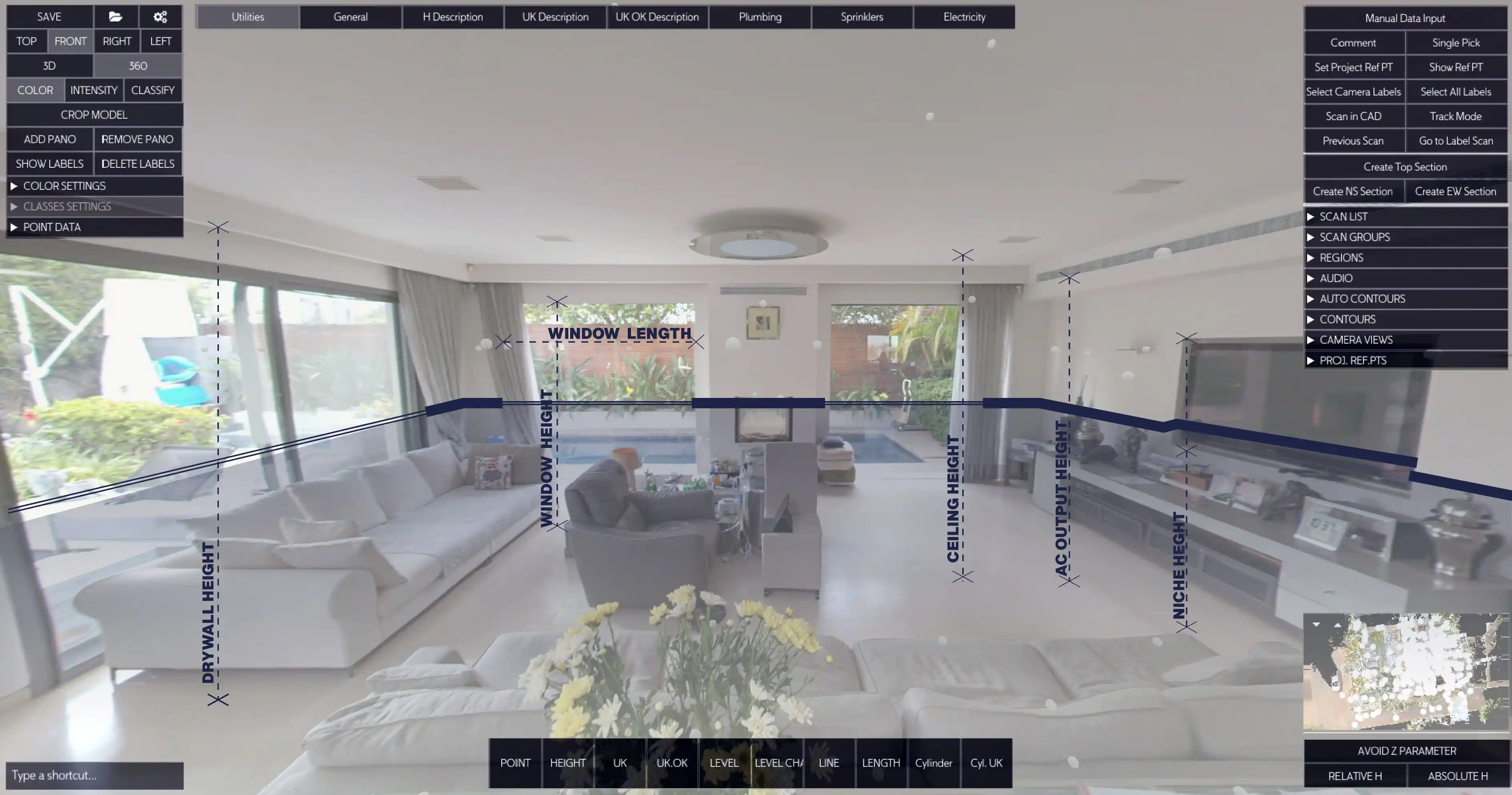
Nest3D’s point cloud tools provide a comprehensive workflow for industrial plant projects. By integrating seamlessly with AutoCAD, BricsCAD, and ZWCAD, the software allows users to capture the exact 3D geometry of an industrial plant, including structural elements, machinery, piping, and electrical systems.
• Rapid Conversion: Professionals can rapidly convert point cloud data from E57 or FLS scans into DWG format, reducing drafting time by up to 60%.
• Accuracy and Alignment: Nest3D ensures precise alignment of CAD drawings with the original scan, maintaining high fidelity for all structural and mechanical elements.
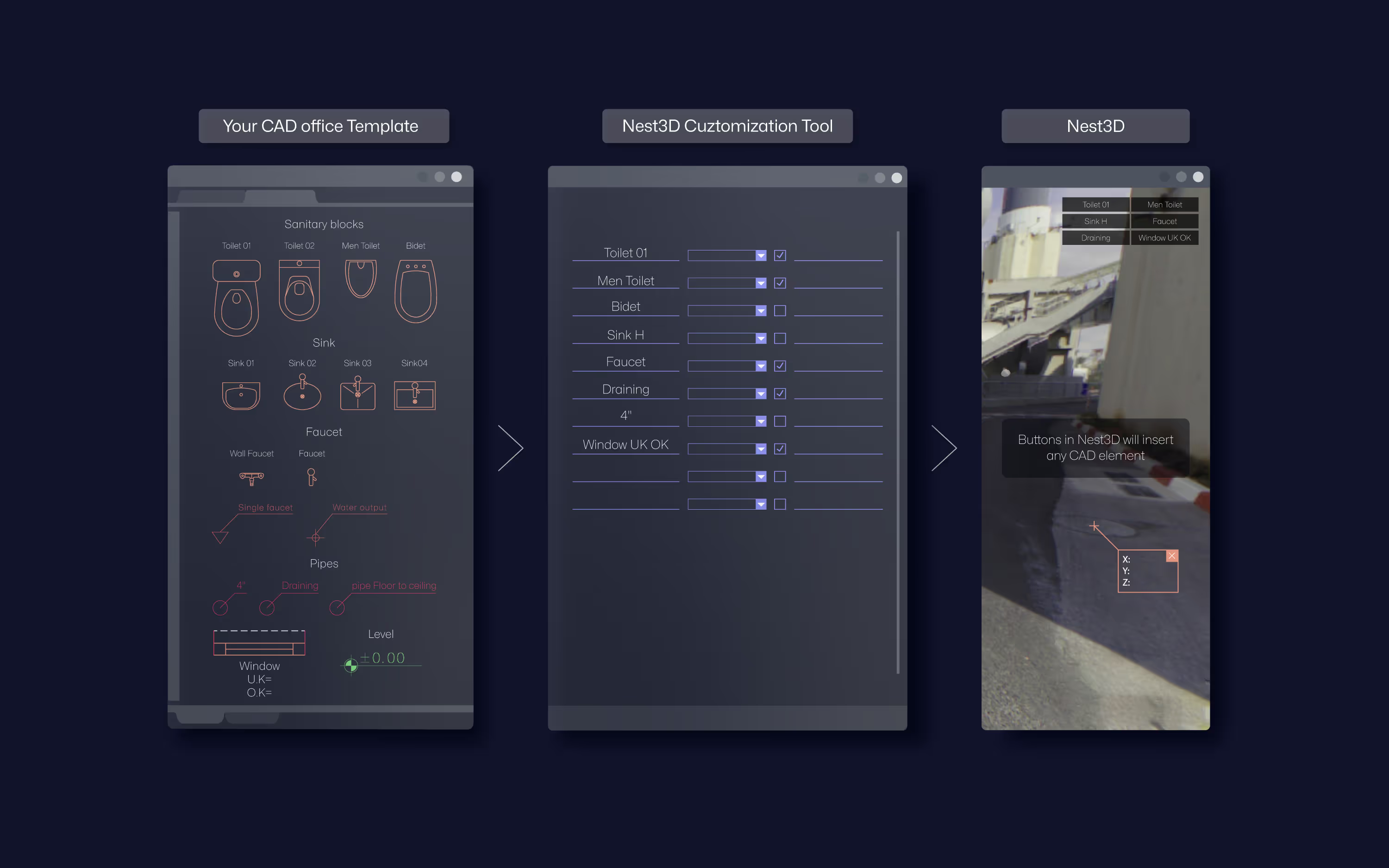
• Simplified Drafting: Automation reduces repetitive tasks, allowing architects and surveyors to produce CAD drawings with less manual effort, while maintaining template-driven consistency.
• Versatile CAD Compatibility: Nest3D supports AutoCAD, BricsCAD, and ZWCAD, ensuring that DWG linework integrates seamlessly with existing project standards.
Benefits Across Industrial Plant Projects
• Faster Drafting: Automation and AI-driven linework reduce drafting time, allowing teams to deliver projects more quickly.• High Accuracy: DWG linework is template-driven, ensuring precise alignment with real-world measurements.• Improved Collaboration: Processed CAD drawings can be shared across teams using AutoCAD, BricsCAD, and ZWCAD, facilitating collaboration on large-scale industrial plant projects.• Reduced Manual Effort: By automating repetitive tasks, Nest3D allows professionals to produce CAD drawings with less manual input while increasing consistency and productivity.
How Do Industrial Plant Projects Use Point Cloud
Point cloud technology improves accuracy, efficiency, and safety in design, construction, and maintenance. Here’s a detailed explanation
• 3D Visualization and Simulation: Architects and surveyors can use point clouds for immersive 3D visualizations, helping stakeholders understand plant layouts, workflow paths, and spatial constraints. This also aids in safety planning and operational simulations.• Design and Retrofit: When upgrading or expanding industrial plants, architects use point cloud data to align new designs with existing structures. This ensures that additions, retrofits, or modifications fit precisely, reducing rework and avoiding costly errors.• Drafting and CAD Conversion: Using point cloud to CAD software, professionals can rapidly convert point cloud scans into DWG drawings. This process automates linework, wall extraction, and annotation.• Clash Detection and Coordination: Point clouds provide a detailed 3D model of the plant, enabling clash detection between pipelines, ducts, structural elements, and machinery. This is crucial in industrial projects where tight spaces increase the risk of design conflicts.• Maintenance and Facility Management: Point cloud data serves as a reference for ongoing maintenance and inspections, allowing teams to measure clearances, assess structural integrity, and plan interventions without disrupting plant operations.
Proven Results in Industrial Plant Projects
Surveyors and architects using Nest3D report significant improvements:
• 60% Less Drafting Time: Rapid conversion of point clouds allows for faster project completion.• 50% Lower Manual Effort: Automation reduces repetitive work while maintaining quality.• 99.9%+ Accuracy: DWG drawings produced are reliable, clean, and ready for further design or construction work.• Enhanced Project Consistency: Standardized CAD outputs ensure alignment and precision across all industrial plant documentation.
Practical Applications
• Plant Layout Design: Convert complex point cloud scans into detailed floor plans and CAD drawings.• Mechanical and Structural Analysis: Accurately map pipes, ducts, machinery, and structural walls.• As-Built Documentation: Produce precise DWG drawings for renovations, expansions, or compliance audits.• Coordination Across Teams: Standardized CAD outputs improve collaboration between architects and surveyors.
Why Professionals Trust Nest3D
Built by surveyors, for surveyors and architects, Nest3D balances usability with technical precision. Its ability to rapidly convert point cloud data into accurate CAD drawings makes it an indispensable tool for industrial plant projects. Professionals praise its intuitive interface, seamless CAD integration, and reliability in delivering production-ready DWG files.
The Future of Industrial Plant Point Cloud
Nest3D provides comprehensive point cloud to CAD software, point cloud tools, and workflow automation to extract walls from point cloud, produce DWG drawings, and maintain alignment across industrial plant layouts. For architects and surveyors working on industrial plant projects, Nest3D offers a 14-day free trial that simplifies point cloud to blueprint workflows and ensures professional, production-ready CAD outputs every time.
Frequently Asked Questions:
- 1. What types of industrial plant elements can be extracted from a point cloud?
Architects and surveyors can extract walls, floors, piping, ducts, machinery, and other structural or mechanical components. This allows for accurate mapping of complex layouts and ensures CAD drawings reflect actual conditions.
- 2. Which CAD software can integrate point cloud data?
Advanced point cloud software supports seamless integration with AutoCAD, BricsCAD, and ZWCAD, enabling teams to maintain familiar templates, layers, and block conventions while working with point cloud data.
- 3. How does a point cloud help in plant retrofits or expansions?
Point clouds provide a detailed 3D scan of the existing facility, allowing architects and surveyors to align new designs precisely with existing structures. This reduces errors, prevents clashes, and ensures smooth retrofitting.
- 4. Can point cloud data support maintenance and inspections?
Absolutely. Industrial plant point clouds can be referenced for ongoing maintenance, clearance checks, and structural inspections without disrupting operations. Teams can identify potential issues and plan interventions accurately.
- 5. How does point cloud technology enhance collaboration?
Processed point cloud scans can be shared across multiple teams, ensuring everyone works with the same accurate 3D data. Integration with AutoCAD, BricsCAD, and ZWCAD enables seamless collaboration, consistent drawings, and faster decision-making across large industrial plant projects.
- 6. What checkups are conducted when an industry remains closed, once or twice in two months?
When there is a planned shutdown in an industry, a range of inspections, measurements, and checkups are typically conducted to ensure safety, efficiency, and regulatory compliance. Nest3D focuses on a range of factors, such as mechanical and structural Inspections, electrical systems, operational measurements, documentation, and planning.
.svg)


.svg)
